Product · Marketing

Marketing From What the Market Is Saying.

Konsil scans for signals that matter to your buyers and scores each one against your fit. Strong signals become drafts. A person decides what gets published.

A real recording from Konsil. The company and people are fictional.

Example: From Signal to Published Post.

  1. A Signal Comes In

    The Signal Scanner finds something your buyers care about and scores it 0 to 100 against your fit.
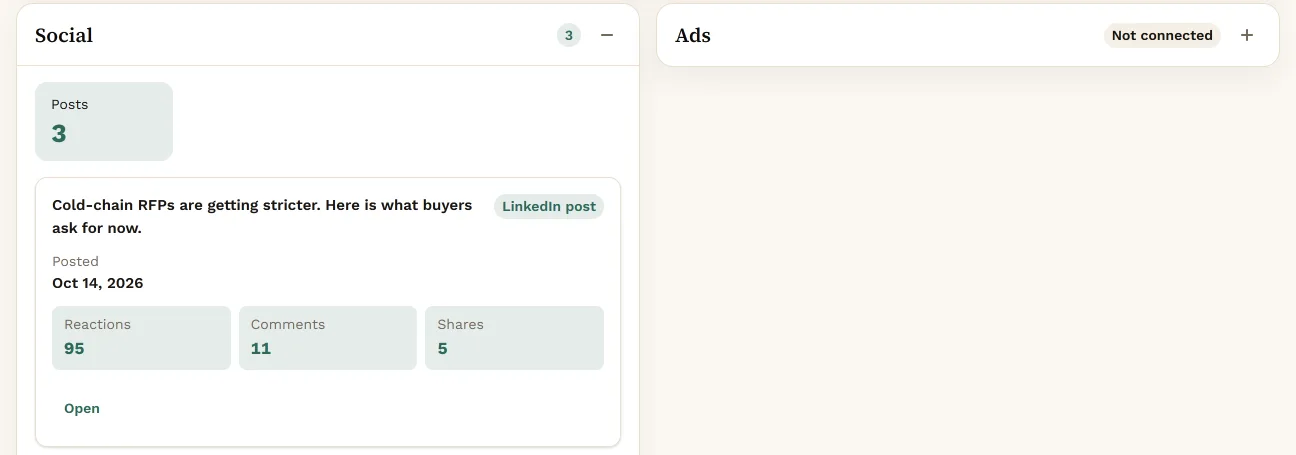
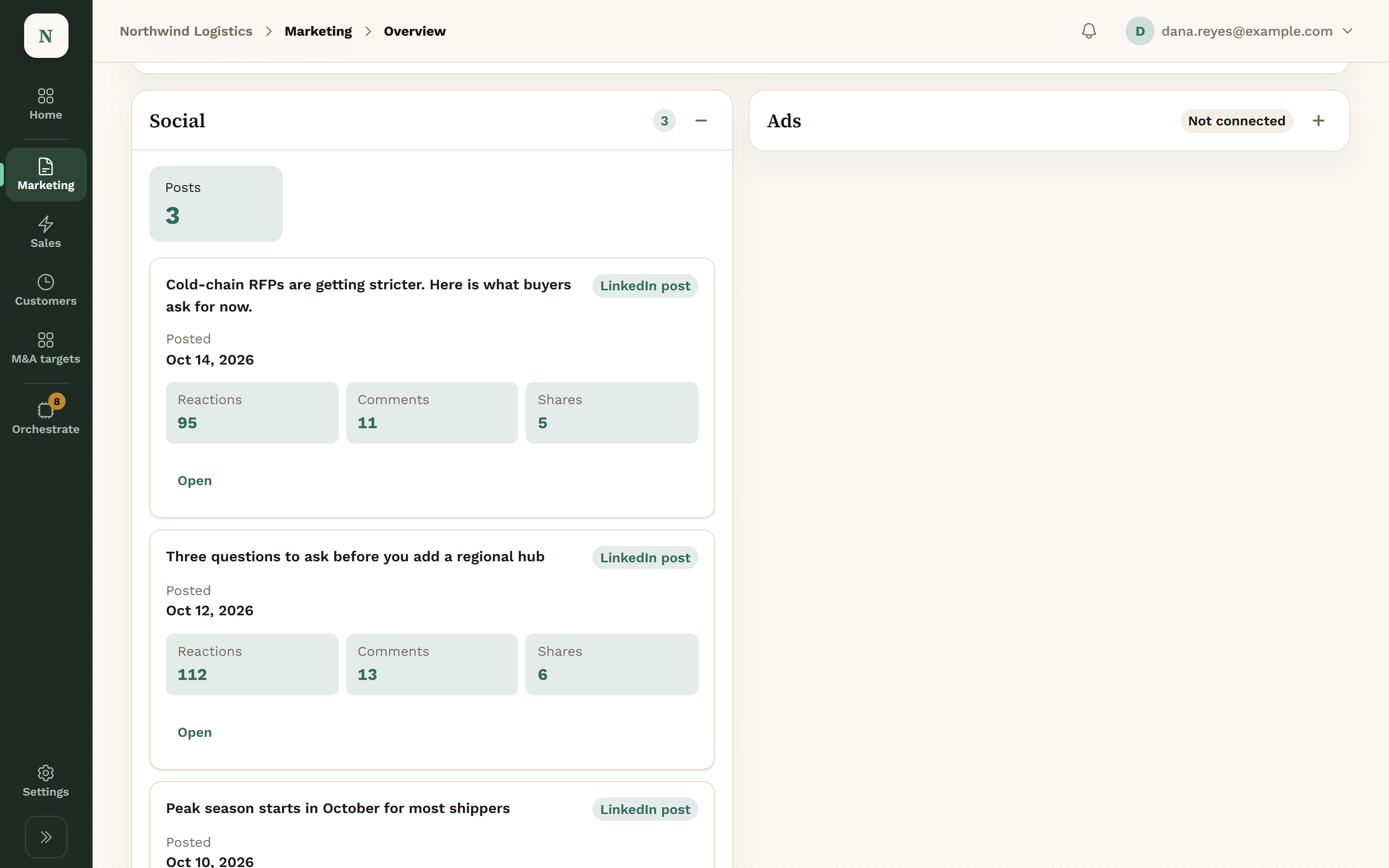
    The Marketing area in Konsil: the Social panel with a Posts tile of 3 and a published LinkedIn post, Cold-chain RFPs are getting stricter, showing 95 reactions, 11 comments and 5 shares.
    Marketing: posts and how they did.View full screen
  2. An Agent Drafts the Post

    Approve the signal and a writing agent drafts a LinkedIn or blog post from it.
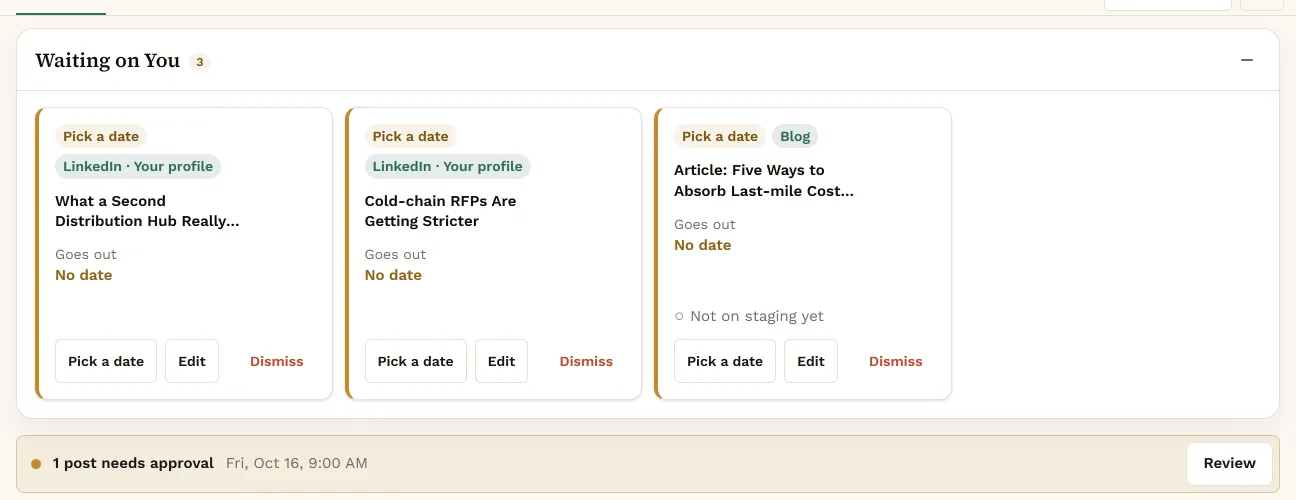
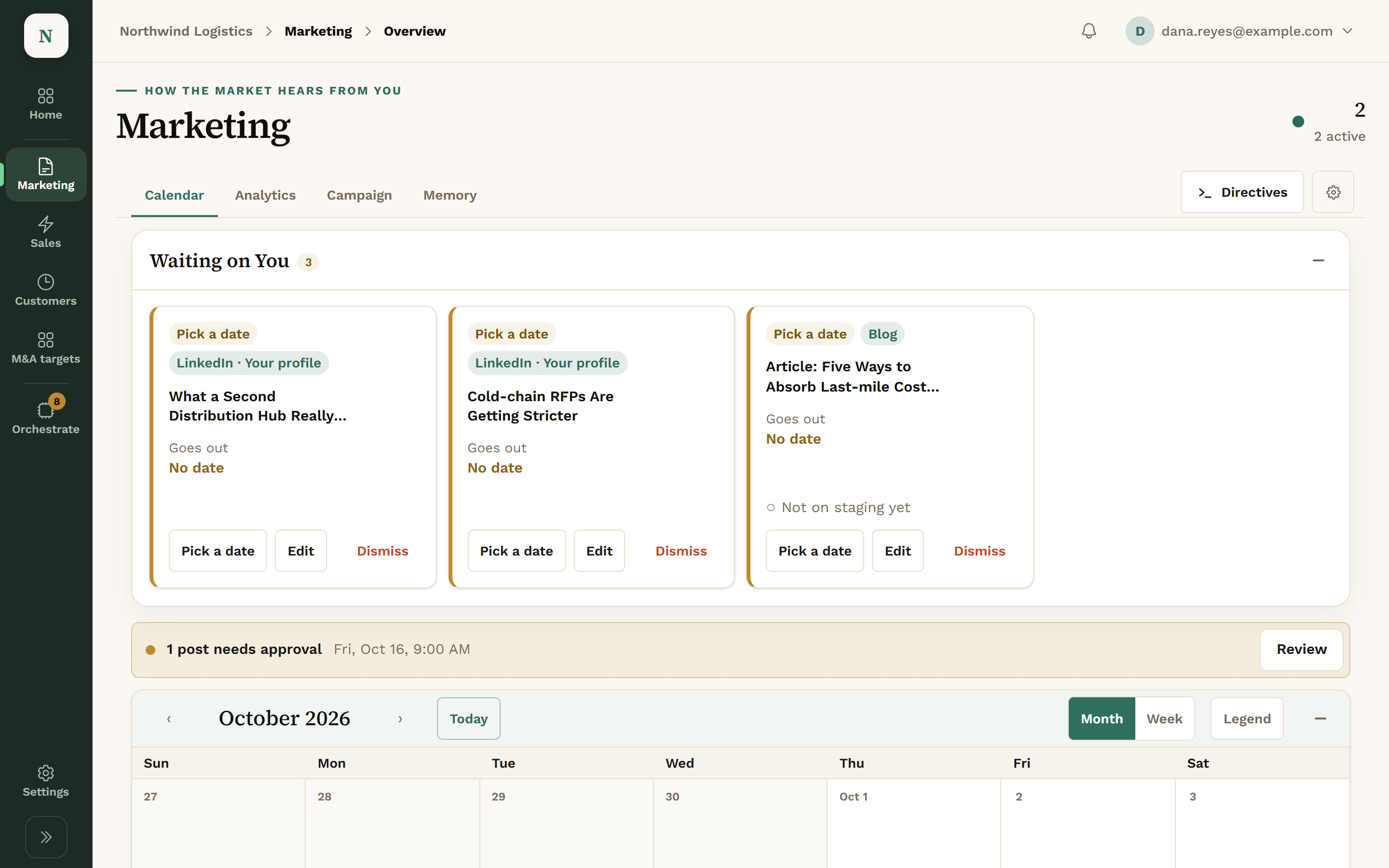
    The Waiting on You area of Marketing with three drafts, two LinkedIn posts and one blog article, each with Pick a date, Edit and Dismiss, and a banner saying 1 post needs approval for Fri, Oct 16, 9:00 AM.
    Marketing: drafts waiting on you.View full screen
  3. You Approve & Schedule It

    Read the draft, edit it if you want, approve it and put it on the calendar. Scheduling a LinkedIn post is always reviewed.
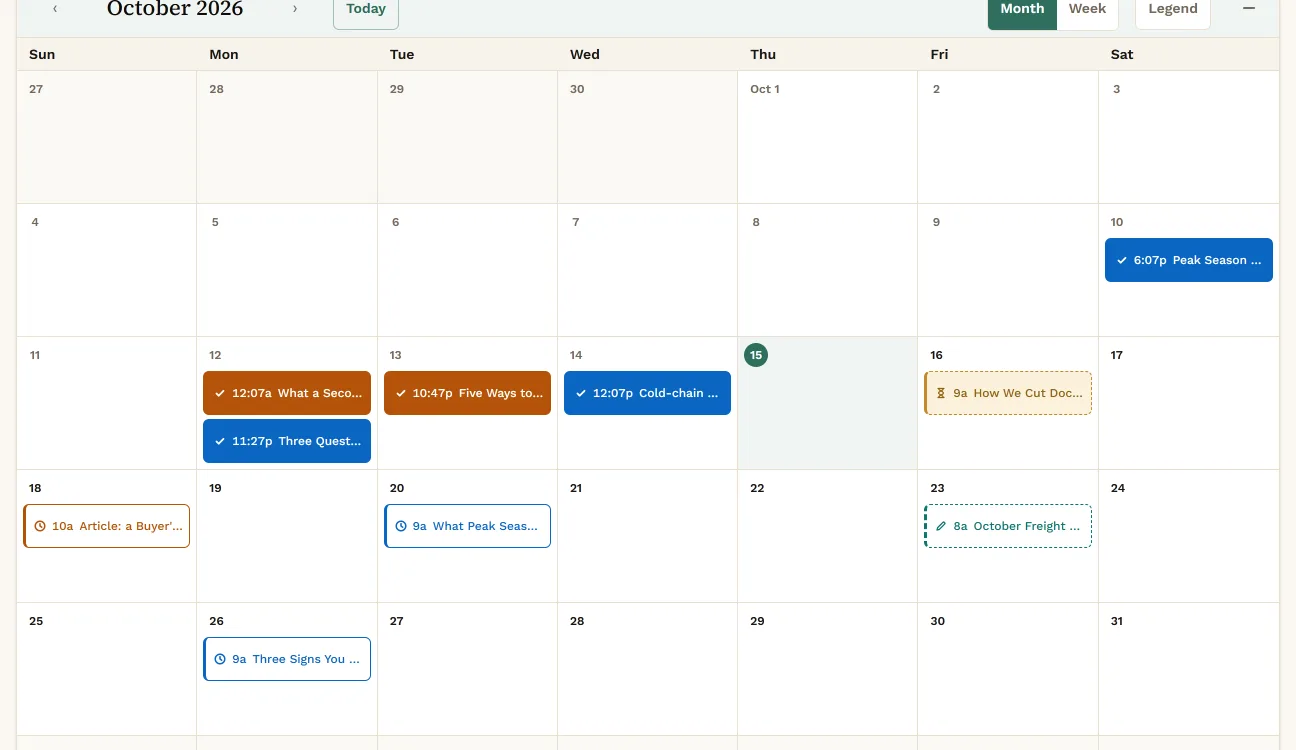
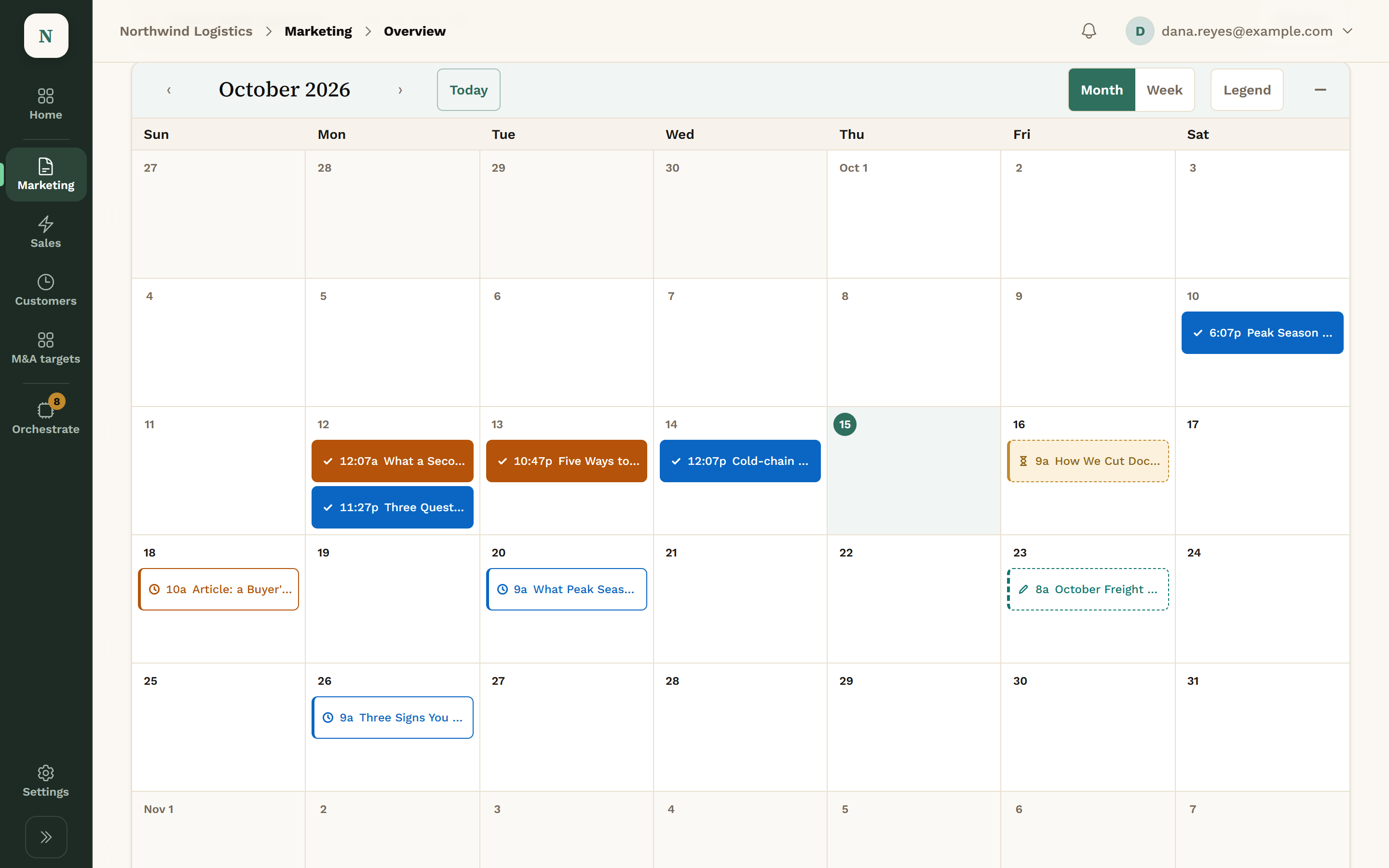
    The Marketing calendar for October 2026, with LinkedIn and blog posts scheduled and published on different days between Oct 10 and Oct 26.
    Marketing: the October calendar.View full screen
  4. It Goes Out & Is Counted

    The post publishes at its time and shows as Published in the content library.
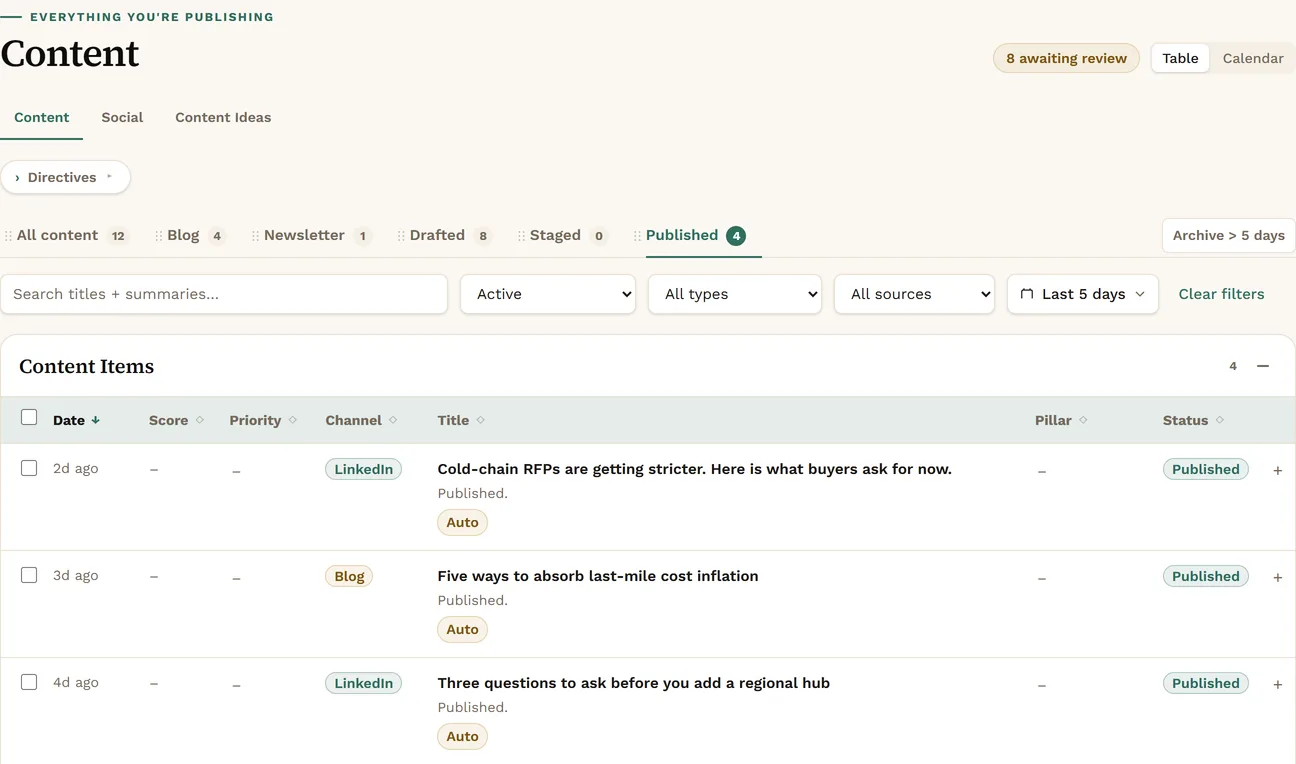
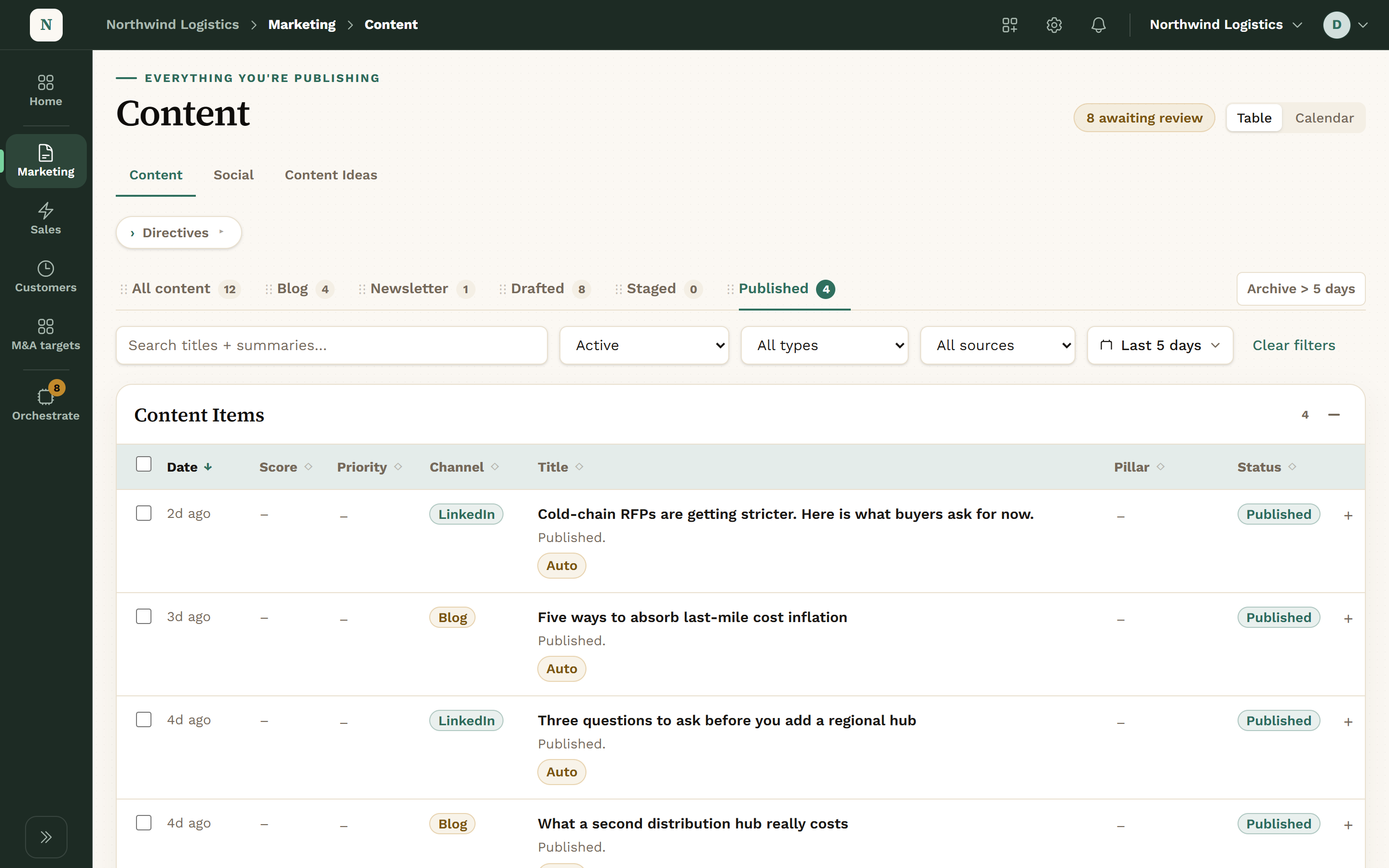
    The Content library filtered to the Published view, with a count of 4. LinkedIn posts and blog articles are listed, each with a green Published status: Cold-chain RFPs are getting stricter, Five ways to absorb last-mile cost inflation, and Three questions to ask before you add a regional hub.
    Marketing: what has gone out.View full screen

The Marketing Screens.

Marketing covers Signals, Content, Website and AEO, with a Calendar and Analytics on the main screen.

One Content Library

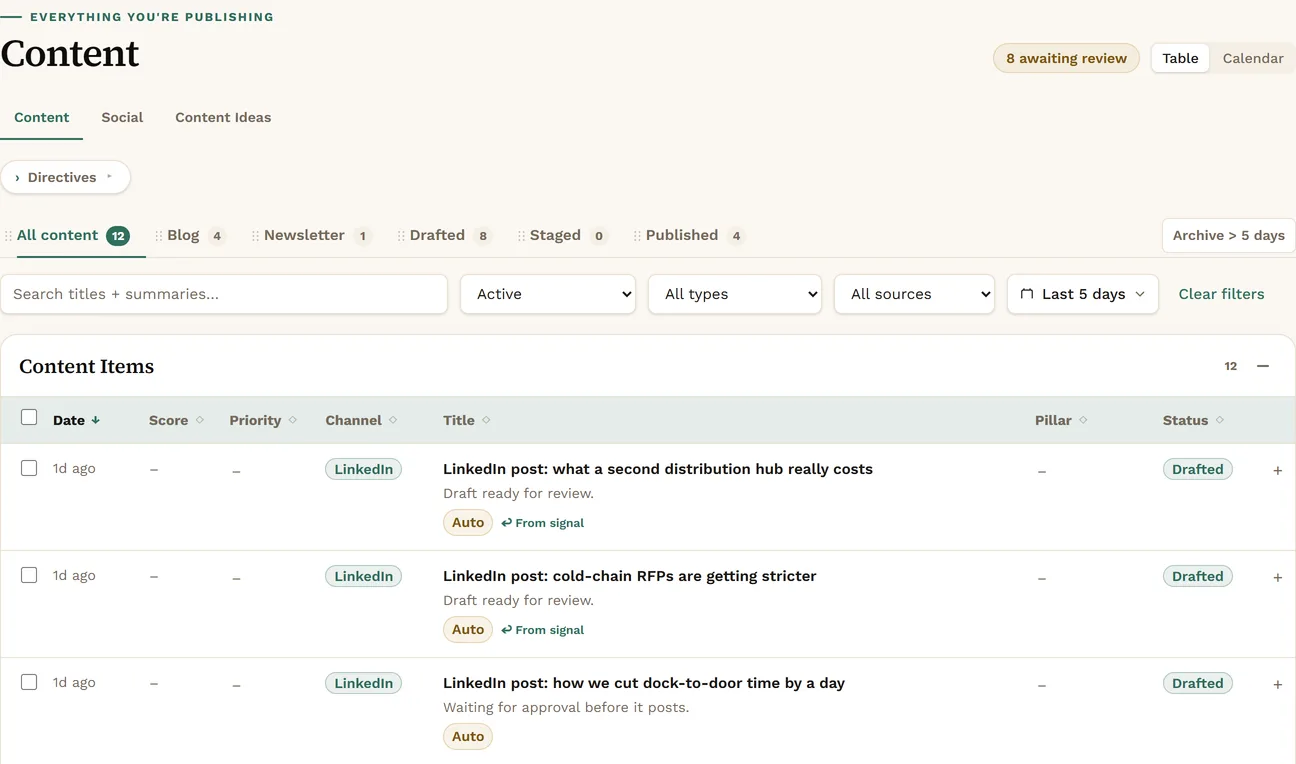
Blog posts, newsletters and social posts move from Draft to Staged to Published. Saved views show what is drafted, staged and live.

  • Blog, newsletter and social in one place
  • Content ideas kept beside the drafts
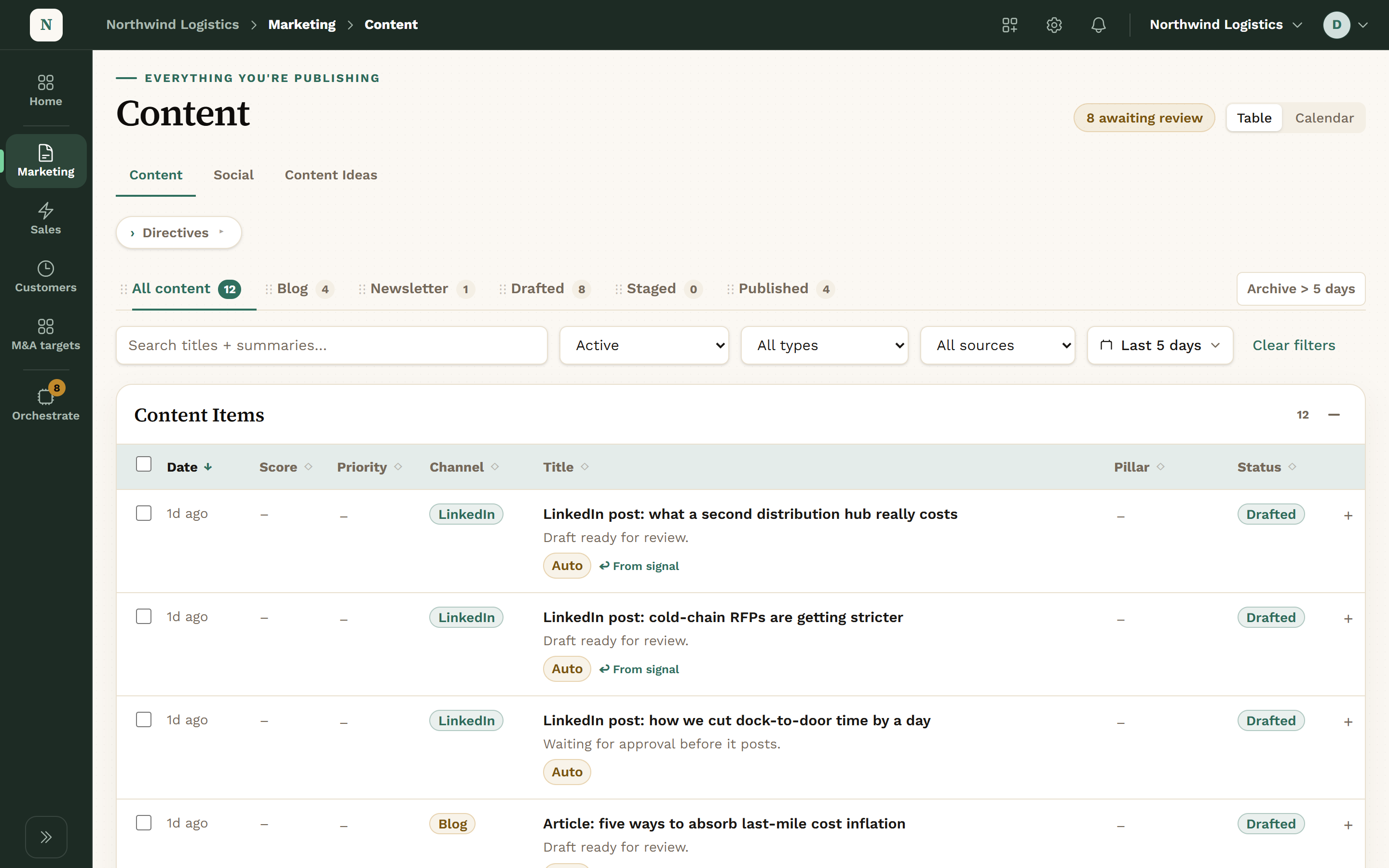
The Content screen under Marketing. A row of views reads All content, Blog, Newsletter, Drafted, Staged and Published, above a table of LinkedIn posts and blog articles, most of them marked Drafted.
Marketing: your content library.View full screen

What Happened This Week

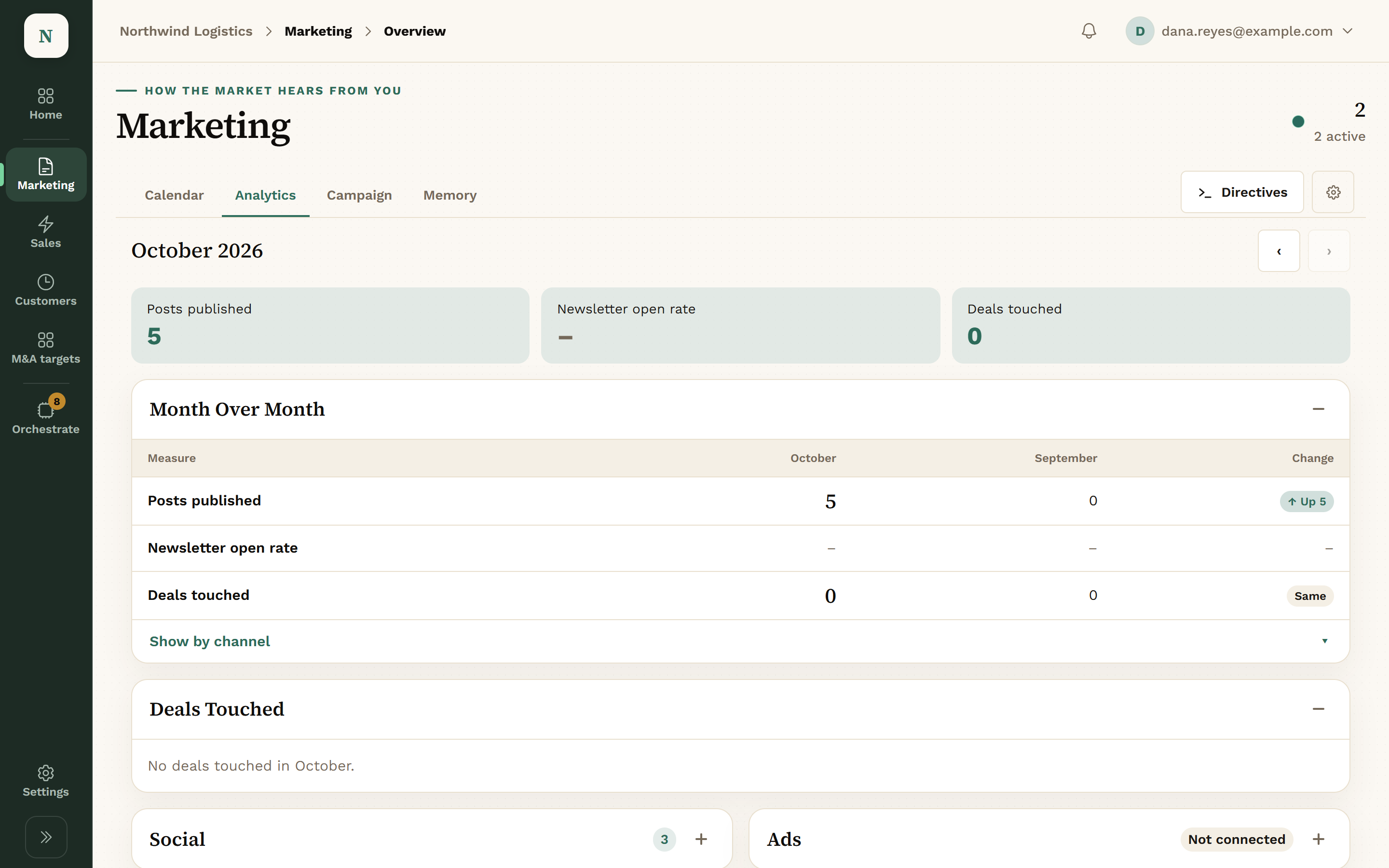
Tiles for site sessions, published pieces, scheduled pieces and newsletter opens, from GA4 and HubSpot.
  • Site sessions over 7 days
  • Published and scheduled counts
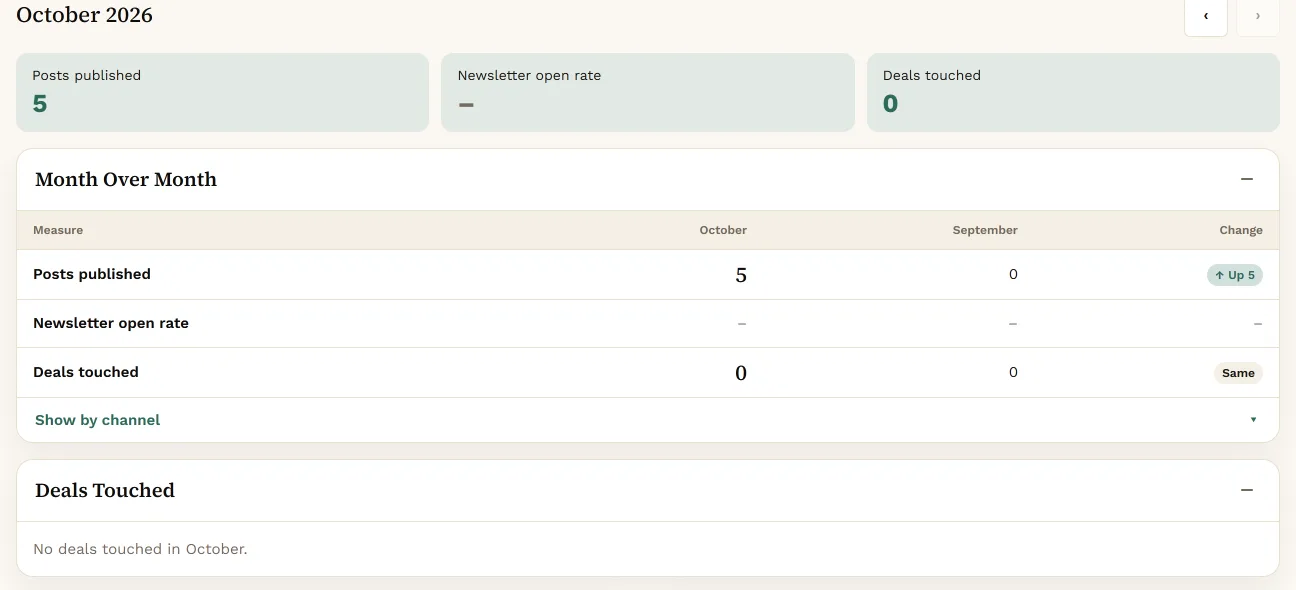
The Marketing Analytics tab for October 2026: 5 posts published, no newsletter open rate yet, 0 deals touched, and a Month Over Month table comparing October with September.
Marketing: this month and last.View full screen

A Day in Marketing.

  1. Morning
    You

    Open Waiting on you: drafts and signals that need a decision.

    Your agents

    The Signal Scanner ran on the companies, keywords and communities you chose.

  2. Late morning
    You

    Approve the strong signals. Dismiss the rest.

    Your agents

    Each approved signal starts a writing run that produces a draft.

  3. Afternoon
    You

    Read the drafts. Approve, Edit or Reject.

    Your agents

    Drafts are written for your company and linked to the signal behind them.

  4. End of day
    You

    Schedule approved posts on the Calendar.

    Your agents

    Scheduled blog posts are staged at their time.

  5. Weekly
    You

    Check Analytics and the search recommendations.

    Your agents

    Agents pulled site traffic and search data for the week.

What Marketing Tracks.

Signals

Things happening in your market, scored against your fit.

Fields
  • Score 0 to 100
  • High: 60 and up
  • Medium: 40 and up
  • Theme
  • Source

Content

Blog posts, newsletters and LinkedIn posts.

Lifecycle
  • Draft
  • Staged
  • Published

Calendar

Shows
  • Scheduled
  • Published

Results

Tiles
  • Site sessions
  • Published
  • Scheduled
  • Newsletter opens

What Agents Can Do in Marketing.

Reads

Agents look. Nothing changes.

  • Signals and their scores
  • The content library and calendar
  • Site traffic from GA4
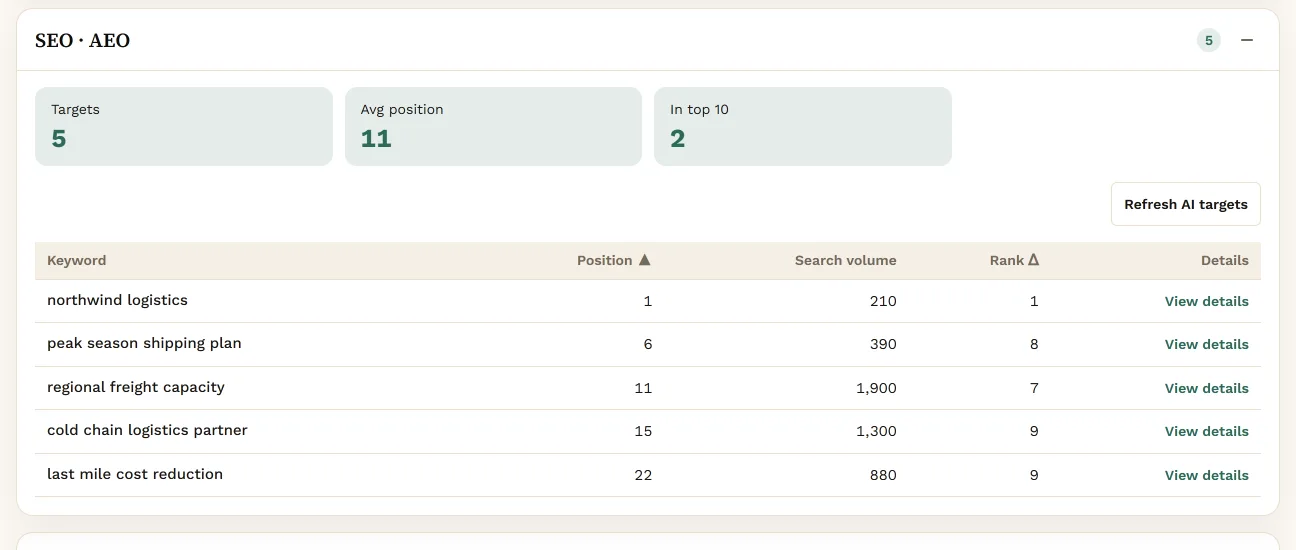
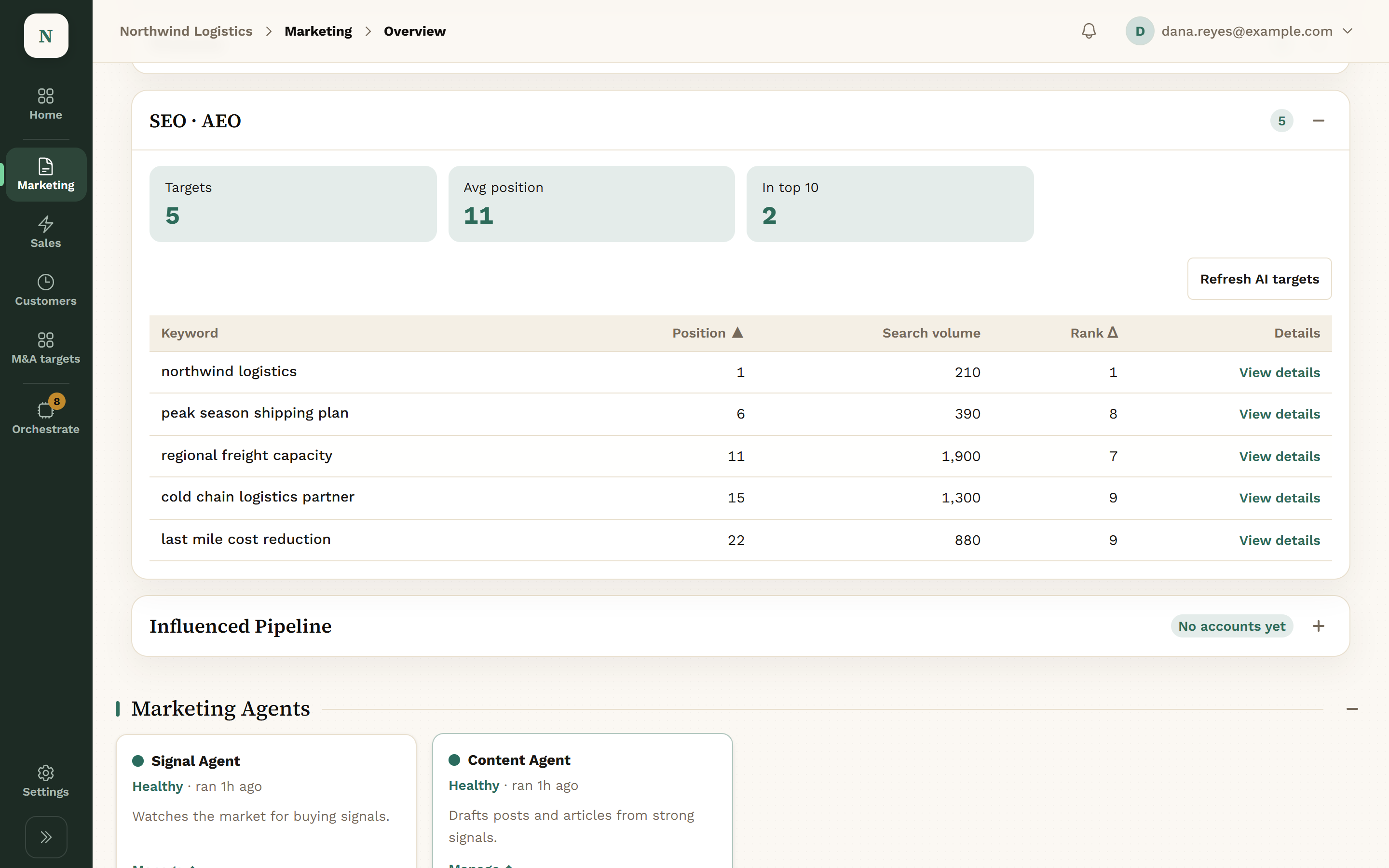
  • Search and AI-answer performance

Proposes

Agents draft. It waits in the Review queue.

  • Blog, newsletter and LinkedIn drafts
  • A blog post moving to its next stage
  • LinkedIn posts to schedule

Waits for a Person

None of this happens without Approve.

  • Publishing anything
  • Scheduling a LinkedIn post
  • Moving a blog post live

A connected assistant can also schedule an approved post through MCP, if you give its key that permission.

What Marketing Connects To.

HubSpotBlog and newsletter drafts, and AEO data.reads · writes after approval
Google Analytics 4Site traffic behind the Analytics tiles.reads
LinkedInCompany page posts, through a scheduling partner.posts after approval
Slack or Microsoft TeamsAlerts when something needs you.notifies

Product names belong to their owners. Konsil is not affiliated with or endorsed by them.

Questions About Marketing.

Does anything publish on its own?

No. Drafts wait for a person, and scheduling a LinkedIn post is always reviewed.

Can we choose what the scanner watches?

Yes. You set the companies, keywords and communities it scans.

Who writes the drafts?

Writing agents, from the signal and what Konsil knows about your company. You edit before anything goes out.

Where do blog posts go?

Into HubSpot as drafts, or to your site’s staging copy, depending on how your site is built.

Get Early Access.

We set up each company by hand, so places open a few at a time.
Get early access