Your Business at a Glance
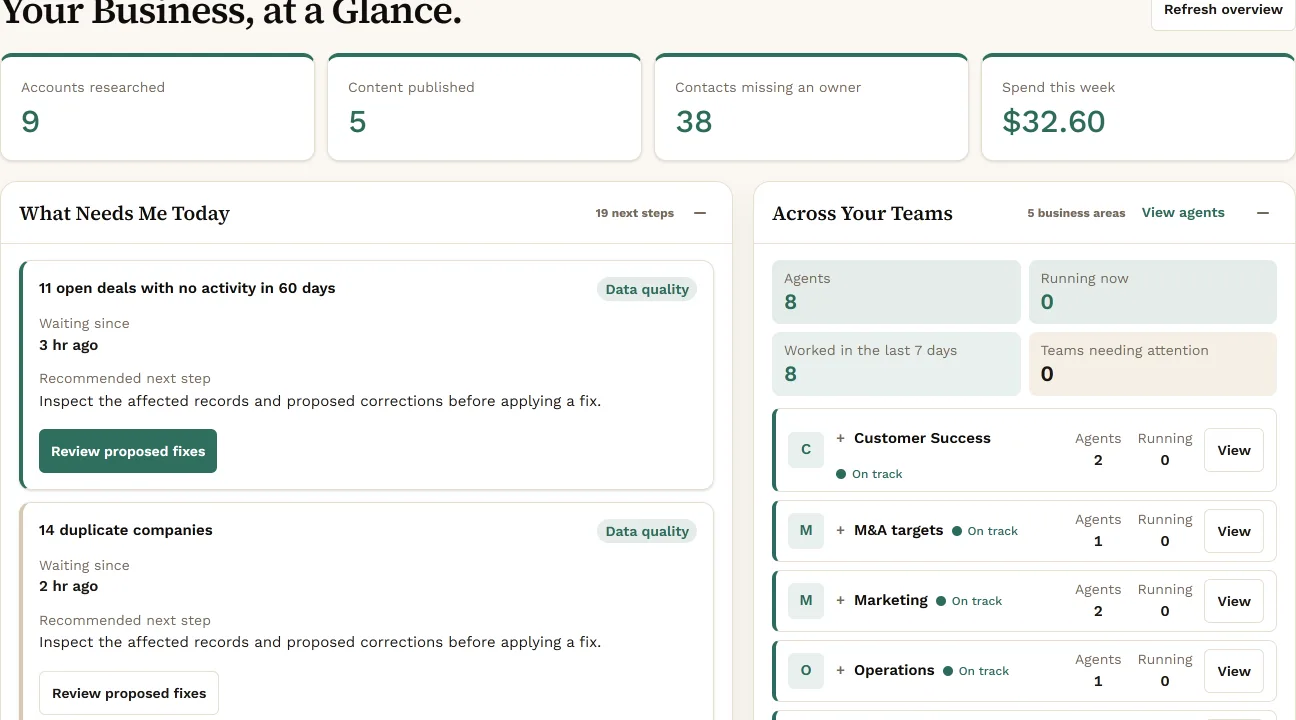
The overview with your company’s name on it: what needs a person today, and what each team is working on.
Enter your website. Konsil reads your public pages and builds a sample workspace for your company: a pipeline with example accounts, the agents it would suggest, and one proposal waiting for your yes.
Three fields. The link comes by email.
We’ll email you the link when it’s ready.
Your preview uses these real screens. Here they show Northwind Logistics, our fictional demo company.
The overview with your company’s name on it: what needs a person today, and what each team is working on.
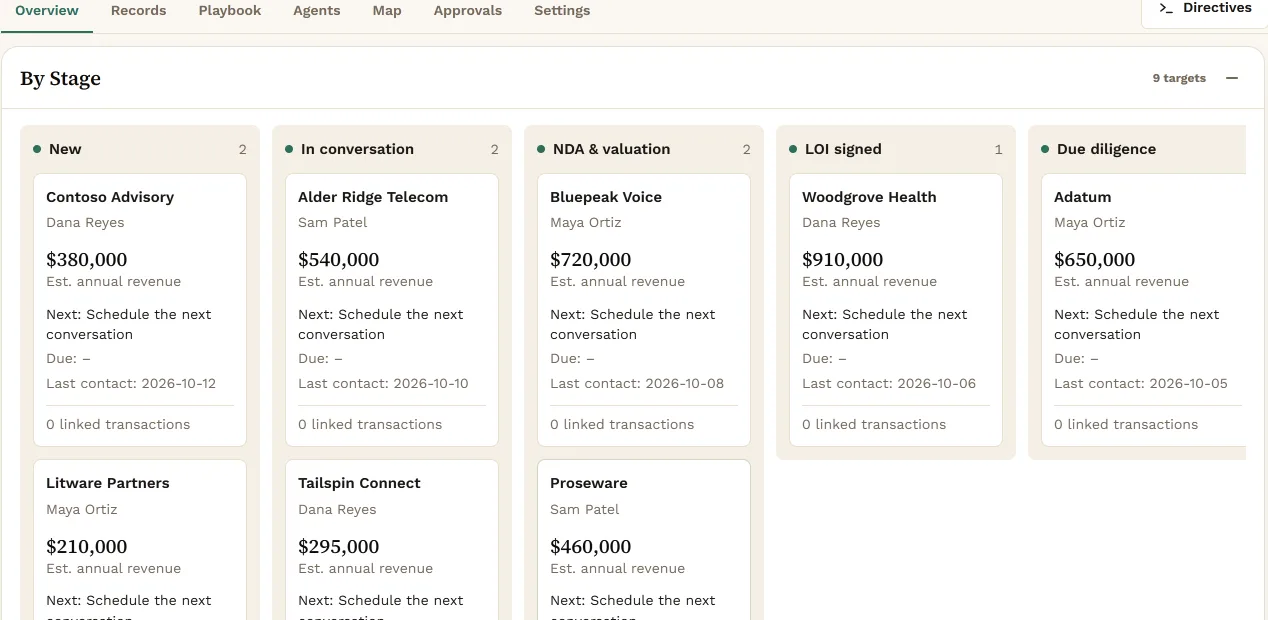
The stages a company like yours would use, with a handful of example accounts moving through them.
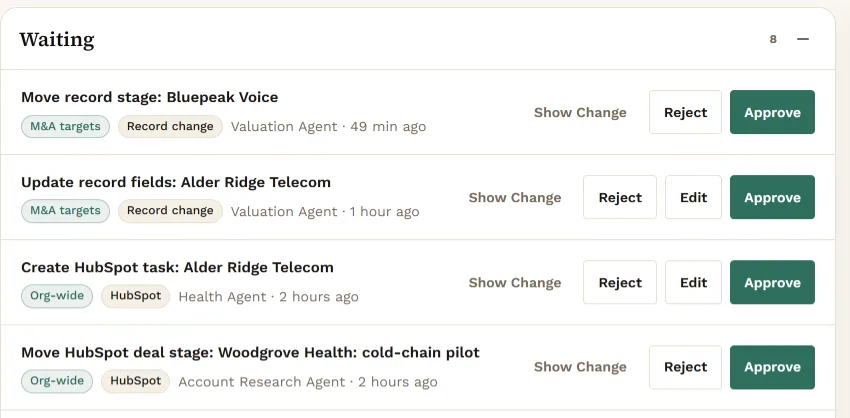
One proposal waiting in the Review queue, so you see how agents propose and a person approves.
No. The preview is built from your public website. Accounts and numbers are examples. Konsil never connects to your tools for a preview.
No. It is the real Konsil interface, filled with sample data for your company.
No. Your data is never used to train models.
The link is private to you, so we send it to your work address.
Enter your website and see Konsil set up for your company, with example accounts.